

Prerequisites
This integration is available for users with both a Semgrep Code license and a Wiz Code Security license. To send Semgrep Code findings to Wiz:-
You must connect your source code manager to Semgrep. At this time, Wiz supports the use of the following:
- GitHub Cloud
- GitHub Enterprise Server
- GitLab Cloud
- GitLab Self-managed
-
You must have a Wiz service account with sufficient permissions to create a service account, if needed, and integrations. The service account must be able to provide Semgrep with the following scopes:
create:external_data_ingestion,read:system_activities, andread:resources. You must also have the client ID and the client secret that accompanies the service account. -
You must add the Semgrep integration from the Wiz Integration Network. During this process, save the following values shown to you:
i. API Endpoint URL
ii. Authentication URL You can find both values at a later date under tenant info.
NOTEFor Wiz users with a Code Security license: this integration takes effect automatically when you create a Wiz Cloud Insights account.
Limitations
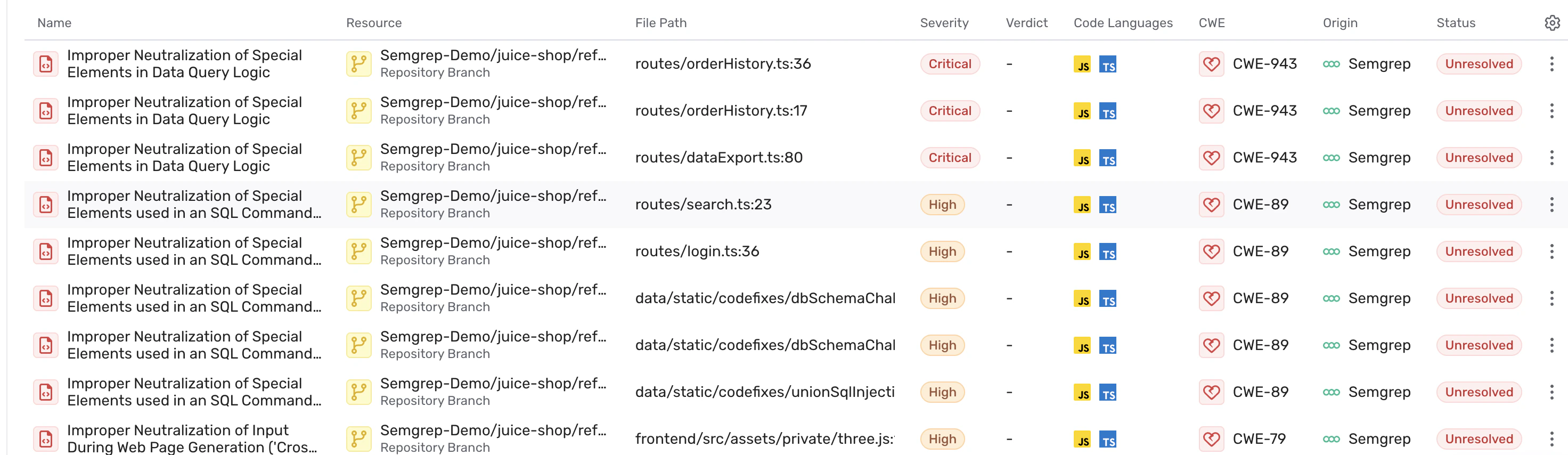
Semgrep sends data to Wiz after every successful full scan; Semgrep does not send data from diff-aware scans. Wiz batches and syncs your data once every 24 hours. By default, the Code findings that Semgrep sends are:- Critical or high severity
- From full scans
- From the default branch of each repository
Add the Semgrep integration from the Wiz Integration Network
To learn how to add the Semgrep integration from the Wiz Integration Network, review Wiz Docs’ Semgrep Integration.Configure the integration in Semgrep
Once you’ve added the Semgrep integration from the Wiz Integration Network, you must continue the setup process in Semgrep:Sign in to Semgrep.
In the dialog that appears, provide the following information:i. API Endpoint URLii. Authentication URLiii. Client IDiv. Client SecretYou can obtain the API Endpoint URL and the Authentication URL from Wiz in Tenant Info, while Wiz provides the Client ID and Client Secret when you set up a service account.
Edit the integration
To edit the integration:Sign in to Semgrep.
Delete the integration
To delete the integration:Sign in to Semgrep.